Getting your Support PIN
How to Get Support PIN at Nice Hosting
To access your Support PIN, follow the steps below:
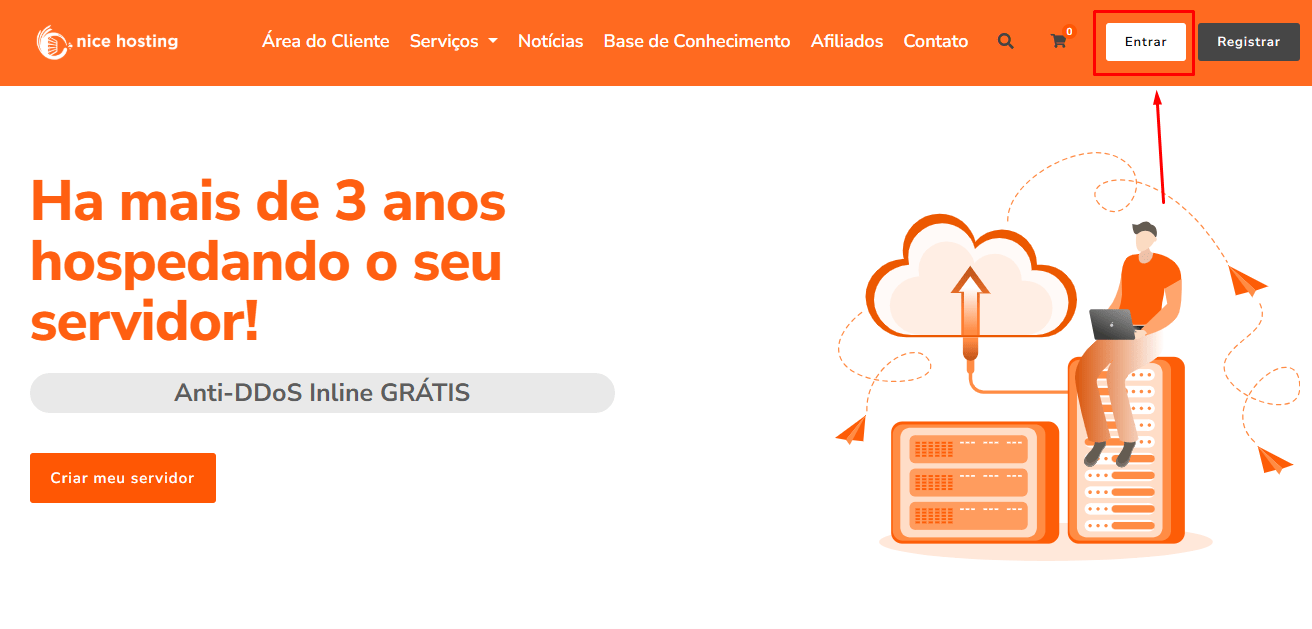
1. Log in to your account
Make sure you are logged in to your Nice Hosting account. To do this, access the login page as highlighted in the image below:
2. Access the "Customer Area"
After logging in, go to the "Client Area". In the image below, we show where you should click to access this section:

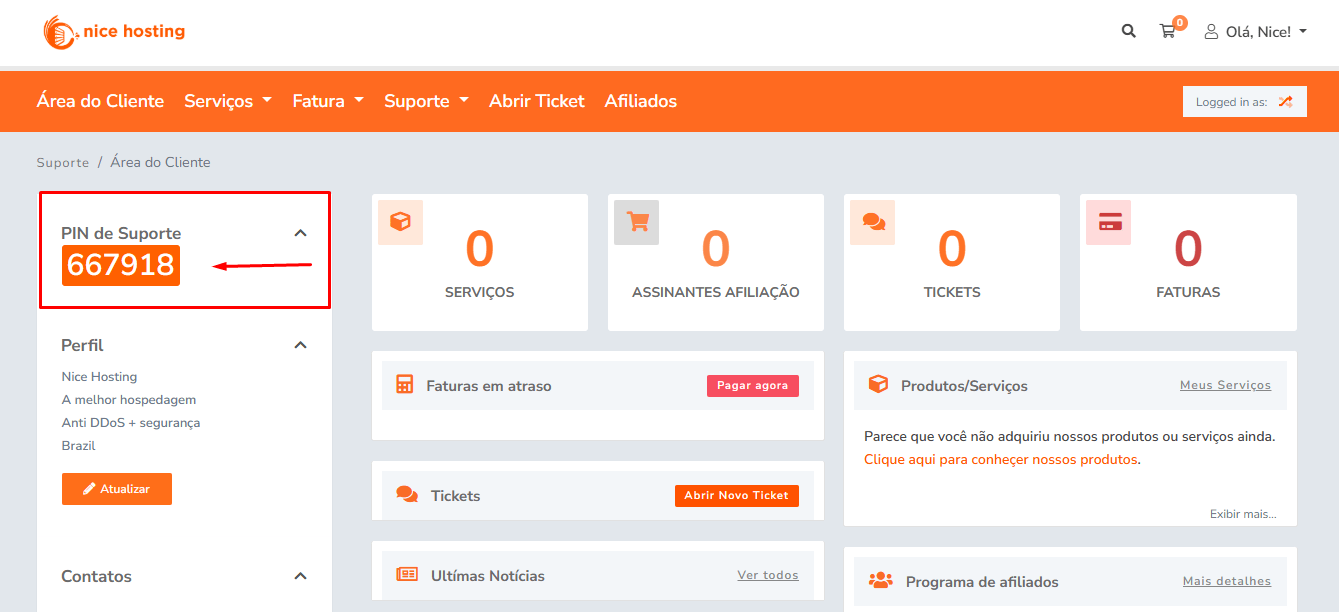
3. Locate the Support PIN
In the Customer Area, you will find the Support PIN. It is clearly visible in the location indicated in the image below:
You can now use your Support PIN to receive personalized support. If you have any difficulties, contact us!
If you still need help, open a ticket with our support.