How to set panel P
How to set up P panel on your MTA:SA server
Go to your TCAdmin, select your host, and shut down your host first.
Afterwards, click on "File Manager", as in the screenshot below

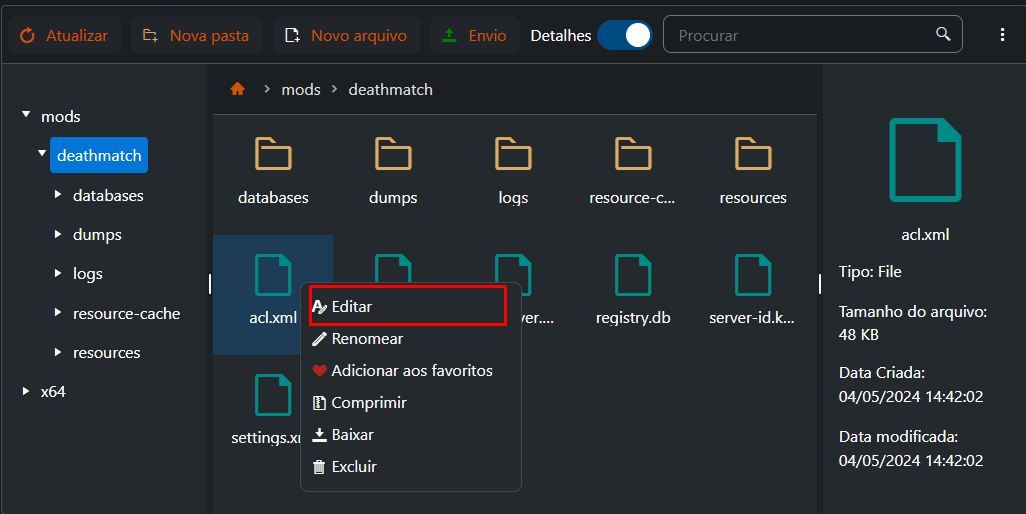
Then open the foldermods>deathmatch, and open the fileacl.xml
(To open the file you can double click on it, or right click
and go to "Edit")
After opening the *acl.xml file,*locate the "user.console" object and replace the "console" with your login
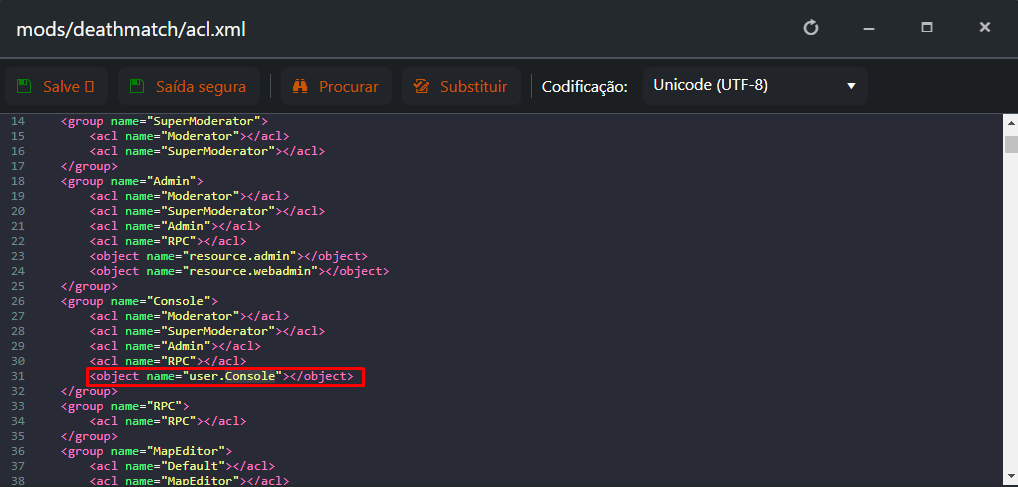
After entering your login where it says "console", simply save the file using the "save" button and connect your server.
Ready, your P panel is now set!
If you still need help, open a ticket with our support.