Activating your Windows Server
To activate Windows Server, follow the steps below.
1. Open Command Prompt
Open the Windows Start menu.

2. Run as administrator
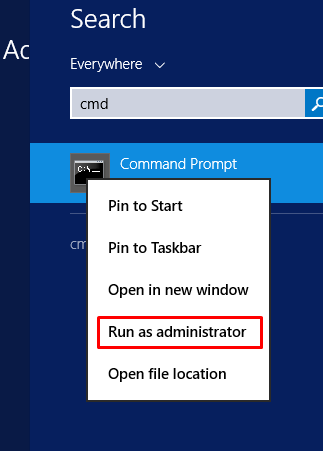
Search for cmd, right-click Command Prompt and select Run as administrator.
3. Run the activation command
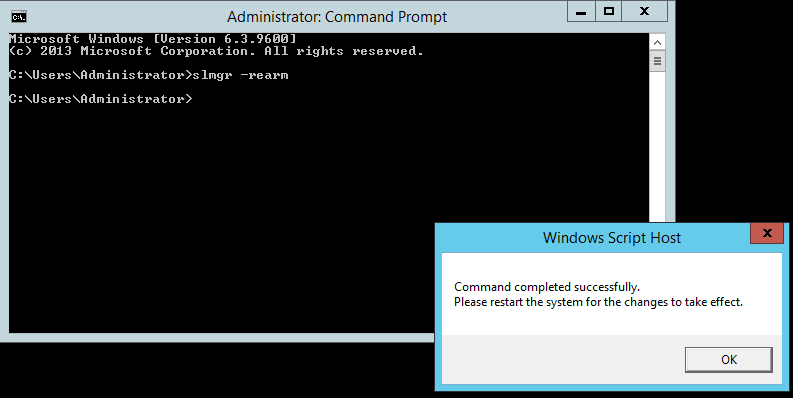
In the Command Prompt, type:
slmgr -rearm
Press Enter. A message box will appear on the screen.
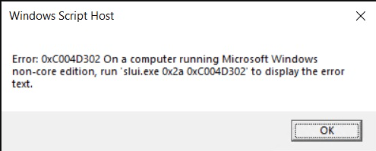
If the message states that Windows Server is already activated, there is no need to repeat the procedure.
4. Restart the VPS
Restart your VPS to apply the change.
Ready! The activation procedure is complete.
If you still need help, open a ticket with our support.