How to format your VPS
In your control panel, you must go to "List VPS", and there select the server you want to format.
After that, look for the "Install" tab
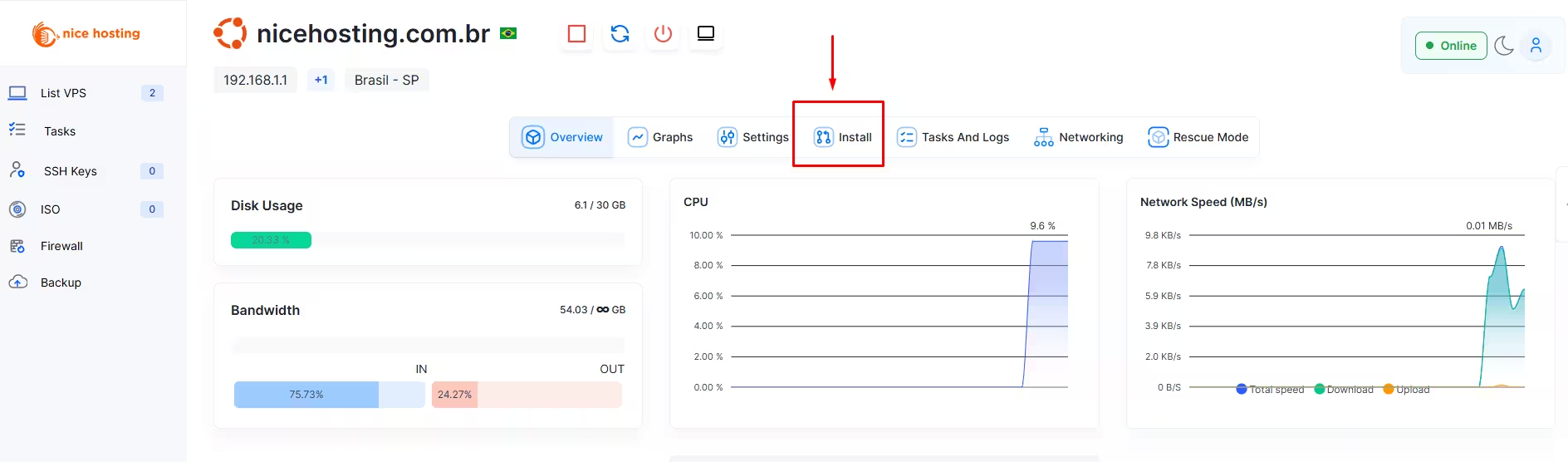
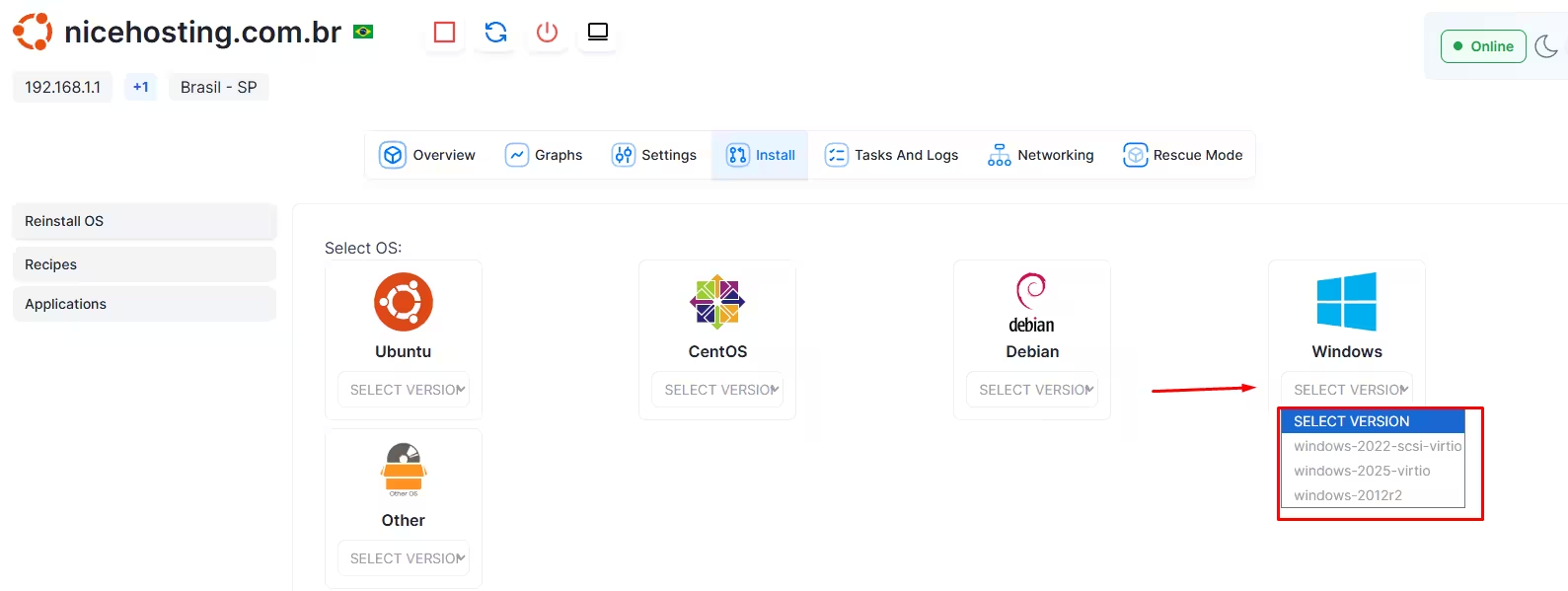
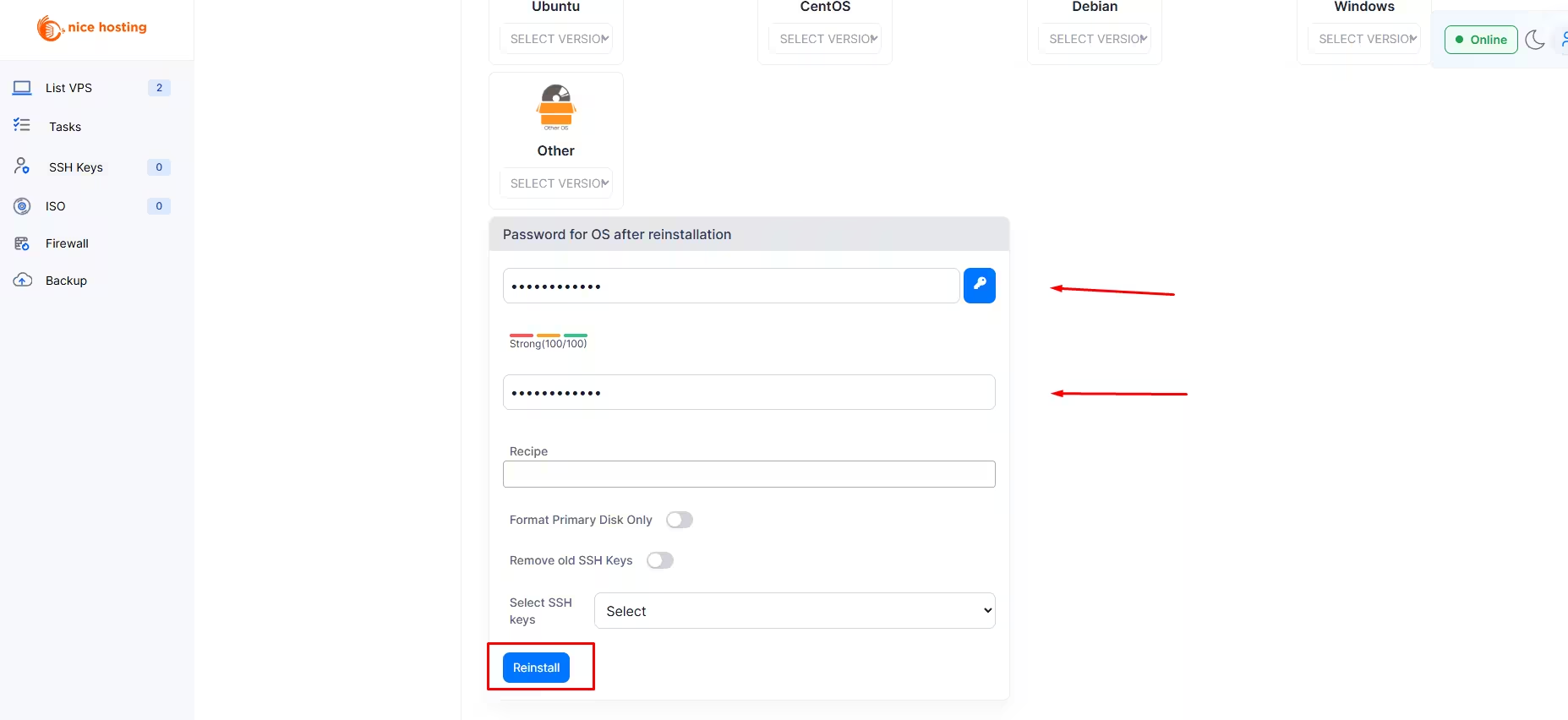
After selecting the Install tab, you must select the system you want and create a new secure password for your VPS
After that, just click on "Reinstall" and confirm the reinstallation
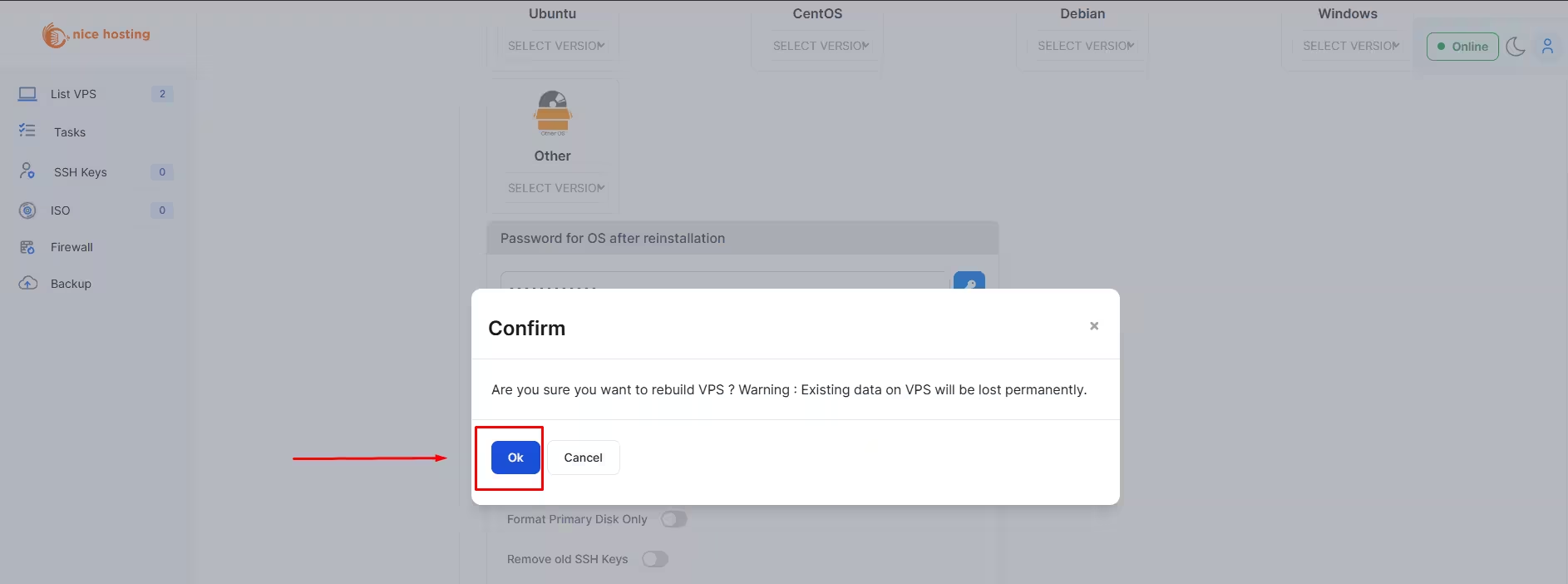
Now just wait a few minutes and that's it, your VPS server has already been formatted and can now be accessed.
If you still need help, open a ticket with our support.